Undo Circular Arrow black outline icon


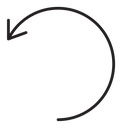
Circular arrow curving counterclockwise with an open gap and thin arrowhead
Related tags
About the Undo Circular Arrow black outline icon
A single stroke sweeps almost all the way around a circle in the counterclockwise direction, breaking at the upper left where a thin open arrowhead points back and up. The gap plus the reversed direction reads as undo, revert, restore or go back one step. Use it in text and photo editors, form toolbars, version history panels, shopping cart reset actions and app settings.
The loop is close to a full circle, so the icon stays balanced in a square button, and the two-line arrowhead keeps the tip light instead of blocky. It mirrors a redo icon and pairs with refresh, history and delete controls. Because the arrowhead is thin, avoid using it below 20px.
This is the black outline version of the undo circular arrow icon: even, monoline strokes that stay crisp at small sizes and suit clean, minimal interfaces, wireframes and light backgrounds.
Get it free as an SVG vector or transparent PNG (16-512px), copy the SVG code, or restyle it in the free online editor — recolor any part, add gold, neon or gradient effects, animate it, or export EPS, PDF and DXF.
Free for personal and commercial use with attribution.