




Full Size Frame black outline icon

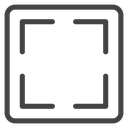


Rounded square icon with four corner brackets representing full size or expand view
About the Full Size Frame black outline icon
Shows a rounded square outline containing four L-shaped corner brackets pointing inward, a common symbol for expanding content to its full size or resizing a view to fit. It communicates maximize, zoom-to-fit and full-screen concepts. Useful in media players, image viewers, dashboards, presentation software and photo-editing apps.
The corner marks are evenly spaced and symmetrical within the rounded outer frame, drawn with a uniform stroke weight for clarity at small sizes. It pairs well with fullscreen and minimize icons in the same set; works best as a compact toolbar or control-bar button.
This is the black outline version of the full size frame icon: even, monoline strokes that stay crisp at small sizes and suit clean, minimal interfaces, wireframes and light backgrounds.
Get it free as an SVG vector or transparent PNG (16-512px), copy the SVG code, or restyle it in the free online editor — recolor any part, add gold, neon or gradient effects, animate it, or export EPS, PDF and DXF.
Free for personal and commercial use with attribution.
Icons with the same concept
 Full Size Corner Arrows
 Full Size Corner Brackets
 Fullscreen
 Fullscreen Corners
 Window Maximize
 Expand Arrows
 Fullscreen
 Window Maximize
 Window Maximize
 Expand Four Arrows
 Expand Arrows Square
 Expand Arrows
 Expand Diagonal Arrows
 Expand Diagonal Arrows
 Expand Arrows Square
 Expand Four Corner Arrows
 Expand Four Corner Arrows
 Fullscreen Window