Full Size Corner Brackets black outline icon



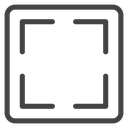
Four L-shaped corner brackets arranged as an open square frame
About the Full Size Corner Brackets black outline icon
Four identical L-shaped brackets sit at the corners of an invisible square, each formed by two straight strokes meeting at a right angle with the sides left open. The shape reads as framing, focus area and expanding to the full canvas, which makes it right for video player full screen buttons, image viewer and lightbox controls, camera crop and scan overlays, map fit-to-bounds actions and screenshot tools.
Bracket arms are equal in length with square-cut ends, and the wide empty center is what signals the framed content rather than any drawn border. It works alongside minimize, zoom and crop icons that share the same corner language. Give it generous padding in a button so the brackets do not touch the edges.
This is the black outline version of the full size corner brackets icon: even, monoline strokes that stay crisp at small sizes and suit clean, minimal interfaces, wireframes and light backgrounds.
Download it free as a scalable SVG vector or transparent-background PNG in seven sizes (16 to 512px), copy the SVG code straight into your project, or open it in the free online editor to change colors, apply gold, silver, neon and gradient styles, animate it, or convert it to EPS, PDF and DXF.
Free for personal and commercial use with attribution.