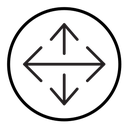
Drag black outline icon



Outline four-way arrow cross pointing up, down, left and right
Related tags
About the Drag black outline icon
Two thin lines cross at the center, each ending in an open arrowhead so the mark points up, down, left and right in equal measure. It is the standard cue for free movement, telling users an element can be dragged or repositioned, which makes it right for canvas and map panning, design-tool move handles, drag-and-drop list items, dashboard widget rearranging and image editor toolbars.
The strokes are hairline thin and the arrowheads are open chevrons, giving a light, unobtrusive mark that sits over content without competing with it. It pairs with resize, rotate, zoom and grip-dots icons. Use it at 20-24 px in toolbars, and increase stroke weight for touch targets.
This is the black outline version of the drag icon: even, monoline strokes that stay crisp at small sizes and suit clean, minimal interfaces, wireframes and light backgrounds.
Download it free as a scalable SVG vector or transparent-background PNG in seven sizes (16 to 512px), copy the SVG code straight into your project, or open it in the free online editor to change colors, apply gold, silver, neon and gradient styles, animate it, or convert it to EPS, PDF and DXF.
Free for personal and commercial use with attribution.