




Diamond Solitaire Ring black outline icon


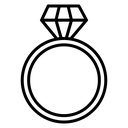
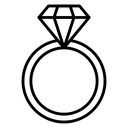
Ring band with a faceted diamond on top, an engagement ring
Related tags
About the Diamond Solitaire Ring black outline icon
A rounded ring band, drawn with a double outline for thickness, is topped by a faceted diamond cut into a crown of triangular lines. The design reads clearly as an engagement or wedding ring, fitting jewelry store listings, wedding planning apps, gift shop pages, and luxury e-commerce product cards.
The band is proportioned smaller than the gem so the diamond stays the visual focus, with clean facet lines forming the stone's crown. It pairs with earring, necklace, and gift box icons in the jewelry set. Tip: pair it with heart icons for proposal or anniversary themed banners.
This is the black outline version of the diamond solitaire ring icon: even, monoline strokes that stay crisp at small sizes and suit clean, minimal interfaces, wireframes and light backgrounds.
Download it free as a scalable SVG vector or transparent-background PNG in seven sizes (16 to 512px), copy the SVG code straight into your project, or open it in the free online editor to change colors, apply gold, silver, neon and gradient styles, animate it, or convert it to EPS, PDF and DXF.
Free for personal and commercial use with attribution.
Icons with the same concept
 Ring
 Diamond Ring Solitaire
 Diamond Ring
 Wedding Ring Faceted Diamond
 Ring
 Diamond Ring
 Interlocking Diamond Wedding Rings
 Diamond Ring
 Diamond Ring Solitaire
 Solitaire Diamond Ring
 Diamond Ring
 Ring
 Diamond Solitaire Ring
 Heart Stone Ring
 Brilliant Cut Diamond Ring
 Ring
 Interlocking Wedding Rings Heart
 Diamond Ring