Ring black outline icon


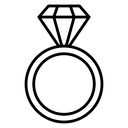
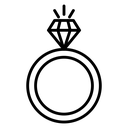
Outline of a round ring with a large faceted solitaire diamond set on top
Related tags
About the Ring black outline icon
A thick circular band is drawn as a double outline, and a large faceted gem sits centered above it, its crown cut into visible triangular facets that taper to a point. The pairing of band and solitaire stone signals engagement, marriage, luxury and gifting rather than plain jewelry. It suits jewelry e-commerce categories, wedding planning apps, gift registry pages, bridal invitations and luxury retail packaging.
The gem is unusually wide relative to the band, so the silhouette reads clearly even when small, and the hollow center of the ring keeps the shape light. Pair it with earring, necklace, gift box and heart icons for a bridal or jewelry set. At tiny sizes drop to the filled style so the facet lines do not merge.
This is the black outline version of the ring icon: even, monoline strokes that stay crisp at small sizes and suit clean, minimal interfaces, wireframes and light backgrounds.
Get it free as an SVG vector or transparent PNG (16-512px), copy the SVG code, or restyle it in the free online editor — recolor any part, add gold, neon or gradient effects, animate it, or export EPS, PDF and DXF.
Free for personal and commercial use with attribution.