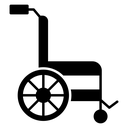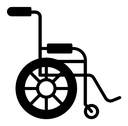

Wheelchair black filled icon



Side view of a wheelchair with a large rear wheel, seat, backrest and push handle
Related tags
About the Wheelchair black filled icon
A wheelchair drawn from the side: one large rear wheel with a wide hub ring, a small front caster on a short fork, a rectangular seat and backrest, and a curved push handle arching over the back. It communicates accessibility, mobility support, patient transport and disabled access. Useful for hospital wayfinding, accessible-route maps, booking forms, venue facility lists and transport app filters.
The composition balances the heavy circular wheel against the straight seat and frame lines, with the hub circle giving the design a clear focal point. It sits well beside crutches, elevator and accessible-parking icons in the same set. Keep it at 24px or larger so the small caster wheel stays readable.
This is the solid black filled version of the wheelchair icon: a bold silhouette that reads clearly at 16-24 px and on dark or busy backgrounds, and prints well in one colour.
Download it free as a scalable SVG vector or transparent-background PNG in seven sizes (16 to 512px), copy the SVG code straight into your project, or open it in the free online editor to change colors, apply gold, silver, neon and gradient styles, animate it, or convert it to EPS, PDF and DXF.
Free for personal and commercial use with attribution.