
Truck Arrow Cargo Box color filled icon


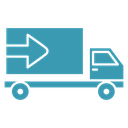
Outline delivery truck viewed from the side with a forward-pointing arrow on its cargo box
About the Truck Arrow Cargo Box color filled icon
A delivery truck seen from the side: a tall rectangular cargo body fills the left two thirds, a low cab with a slanted windshield sits at the right, and two round wheels rest on a flat chassis bar. A wide arrow pointing forward is drawn across the cargo panel. It communicates dispatch, transit and outbound freight for e-commerce checkouts, order tracking pages, warehouse dashboards, courier apps and logistics slides.
Long straight panel lines and the single thick arrow keep the silhouette legible, and the wheels are drawn with small hub dots for balance. Place it next to parcel, warehouse and route icons in the same set. At button size, crop nothing: the arrow is what separates it from a plain truck.
This is the colour filled version of the truck arrow cargo box icon: a flat, solid-colour shape that stands out in dashboards, marketing pages and app tiles where the icon needs to carry colour meaning.
Download it free as a scalable SVG vector or transparent-background PNG in seven sizes (16 to 512px), copy the SVG code straight into your project, or open it in the free online editor to change colors, apply gold, silver, neon and gradient styles, animate it, or convert it to EPS, PDF and DXF.
Free for personal and commercial use with attribution.
Icons with the same concept
 Truck Arrow Fast Delivery
 Truck Arrow
 Truck Circle Badge
 Moving Truck Speed Lines
 Truck Carrying Gift Box
 Delivery Van
 Fast Delivery Truck Speed Lines
 Delivery Truck Circle
 Hand Truck Circle Badge
 Delivery Truck Circle Badge
 Truck
Truck Truck 2
 Truck
Truck Truck
Truck Delivery Cost Truck Dollar
 Delivery Van
 Air Delivery Parcel Plane
 Delivery (2)