Time Clock Arrow Hands color filled icon




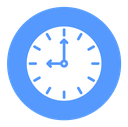
Outline round clock with tick marks and two arrow-tipped hands
About the Time Clock Arrow Hands color filled icon
A circular clock face carries twelve evenly spaced tick marks, four of them longer at the quarter hours, and two hands that end in arrowheads meeting at a small center dot. The arrow tips make the hands feel like they are moving, so the icon reads as elapsed time, scheduling and deadlines on booking calendars, delivery tracking screens, opening hours blocks, project timelines and meeting reminders.
The dial fills the square almost edge to edge with the ticks set just inside the rim, and the hands are drawn at nine o'clock for a clean horizontal-vertical read. Pair it with calendar, stopwatch and hourglass icons for a scheduling set. At 16 px replace the twelve ticks with four to keep the face from clogging.
This is the colour filled version of the time clock arrow hands icon: a flat, solid-colour shape that stands out in dashboards, marketing pages and app tiles where the icon needs to carry colour meaning.
Download it free as a scalable SVG vector or transparent-background PNG in seven sizes (16 to 512px), copy the SVG code straight into your project, or open it in the free online editor to change colors, apply gold, silver, neon and gradient styles, animate it, or convert it to EPS, PDF and DXF.
Free for personal and commercial use with attribution.