Thickness color outline icon

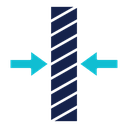
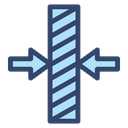
Two arrows pointing inward at a hatched vertical slab measuring its thickness
Related tags
About the Thickness color outline icon
A tall vertical slab filled with diagonal hatching stands in the center while two solid arrows press toward it from the left and right, the classic drafting convention for measuring across a material. It communicates gauge, depth, width and compression, making it suitable for a CAD toolbar, a product spec sheet, a materials catalog, a 3D printing settings panel or an engineering presentation.
The hatched fill reads as a cut section, and the contrast between the dark slab and the lighter arrows keeps the measured dimension the focus. Use it beside length, height and diameter icons for a full dimension set. The hatch lines merge below 32px, so reserve it for spec tables and larger UI slots.
This is the colour outline version of the thickness icon: the same line drawing in an accent colour, useful for highlighting a state, a category or a brand tone without adding visual weight.
It downloads free as an SVG vector or transparent PNG in seven sizes, and the free online editor lets you recolor it, apply gold, silver, neon and gradient styles, add animation, or convert it to EPS, PDF and DXF.
Free for personal and commercial use with attribution.