
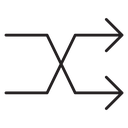
Shuffle Crossing Arrows black outline icon

Two curved arrows crossing over each other with triangular heads pointing right
About the Shuffle Crossing Arrows black outline icon
Two long curved lines sweep from the left edge, cross in the middle and end in solid triangular arrowheads on the right, the classic shuffle gesture. It communicates random order, swapping positions and mixing a queue. Use it on a music player transport bar, a video or podcast app, a playlist randomizer, a photo slideshow toggle or a data tool that reorders rows.
The two strokes mirror each other around the crossing point, giving a balanced hourglass silhouette with equal weight above and below the center. It sits naturally beside repeat, play, skip and previous arrows from the same set. The arrowheads are small, so render it at 20 px or larger in player controls.
This is the black outline version of the shuffle crossing arrows icon: even, monoline strokes that stay crisp at small sizes and suit clean, minimal interfaces, wireframes and light backgrounds.
Download it free as a scalable SVG vector or transparent-background PNG in seven sizes (16 to 512px), copy the SVG code straight into your project, or open it in the free online editor to change colors, apply gold, silver, neon and gradient styles, animate it, or convert it to EPS, PDF and DXF.
Free for personal and commercial use with attribution.
Icons with the same concept
 Shuffle Crossing Arrows
 Shuffle Arrows Crossing
 Shuffle Arrow Crossed Paths
 Shuffle Arrow
 Shuffle Crossed Arrows
 Shuffle Crossing Arrows
 Shuffle Crossing Arrows
 Shuffle Arrow Crossing Paths
 Shuffle
 Shuffle Crossing Arrows
 Shuffle Crossing Arrows
 Shuffle Crossing Arrows
 Shuffle Crossing Arrows
 Shuffle Crossing Arrows
 Shuffle Arrow
 Shuffle arrow
 Shuffle
 Shuffle arrow