Scaffolding color filled icon




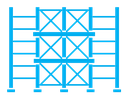
Scaffold frame with three cross-braced levels between two upright poles
Related tags
About the Scaffolding color filled icon
Two tall vertical poles with footed bases stand on either side of a stacked frame made of three levels, each split into two bays with diagonal cross bracing. Horizontal ledgers and platform boards run across the structure. It suits construction company sites, building permit and renovation apps, site safety documentation, real estate development decks and trade directories.
The grid of squares and crossed diagonals gives the icon a dense, engineered texture that reads as temporary steelwork rather than a finished building. It pairs well with crane, hard hat, brick wall and blueprint icons. Use it at 32 px or larger so the bracing does not merge into solid shapes.
This is the colour filled version of the scaffolding icon: a flat, solid-colour shape that stands out in dashboards, marketing pages and app tiles where the icon needs to carry colour meaning.
It downloads free as an SVG vector or transparent PNG in seven sizes, and the free online editor lets you recolor it, apply gold, silver, neon and gradient styles, add animation, or convert it to EPS, PDF and DXF.
Free for personal and commercial use with attribution.