Rounded Square Grid color filled icon



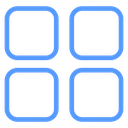

Grid icon with four rounded squares in a two-by-two layout
About the Rounded Square Grid color filled icon
This icon shows four equally sized squares with rounded corners arranged in a two-by-two grid with even gaps between them. It represents a grid layout, dashboard, app launcher or category menu, and is a common glyph for toggling between list and grid views in file managers, galleries and admin panels.
Each square is identical in size with generous corner rounding, giving the set a soft, modern feel rather than sharp boxes. It pairs with list-view and menu icons in the library as a paired toggle. Keep it at 20-28px in toolbars so the four squares stay distinct.
This is the colour filled version of the rounded square grid icon: a flat, solid-colour shape that stands out in dashboards, marketing pages and app tiles where the icon needs to carry colour meaning.
It downloads free as an SVG vector or transparent PNG in seven sizes, and the free online editor lets you recolor it, apply gold, silver, neon and gradient styles, add animation, or convert it to EPS, PDF and DXF.
Free for personal and commercial use with attribution.