Road color filled icon





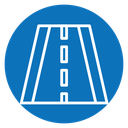
Road icon with dashed center lane line and curb edges
About the Road color filled icon
Depicts a horizontal rectangle of pavement with a dashed line running down the middle to mark lanes, bordered by short solid bars above and below suggesting curbs or shoulders. It reads as transportation, travel, and infrastructure. Useful in navigation apps, map legends, driving and delivery apps, and traffic dashboards.
The flat rectangular shape uses evenly spaced dashes and thin border lines for a clean, schematic look. It pairs naturally with car, traffic light, and route-pin icons in a transport set. Works well as a compact banner element in navigation or logistics UI.
This is the colour filled version of the road icon: a flat, solid-colour shape that stands out in dashboards, marketing pages and app tiles where the icon needs to carry colour meaning.
Download it free as a scalable SVG vector or transparent-background PNG in seven sizes (16 to 512px), copy the SVG code straight into your project, or open it in the free online editor to change colors, apply gold, silver, neon and gradient styles, animate it, or convert it to EPS, PDF and DXF.
Free for personal and commercial use with attribution.