Ring black filled icon

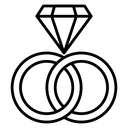

Outline of two interlocking wedding rings with a diamond above them
Related tags
About the Ring black filled icon
Two circular bands overlap side by side, and a faceted brilliant-cut diamond sits above them with its crown facets and pointed pavilion drawn in clean lines. The pairing reads as engagement, marriage, commitment and fine jewelry. Use it on wedding planning sites, bridal registries, jeweler product filters, invitation templates and anniversary or gift-guide sections of a store.
The two rings are the same diameter and cross at the center so the linked shape stays readable, while the gem sits centered above as a visual crown. It sits well next to heart, bouquet, wedding cake and gift icons. At small sizes the diamond facets thin out, so favor 40 px and up.
This is the solid black filled version of the ring icon: a bold silhouette that reads clearly at 16-24 px and on dark or busy backgrounds, and prints well in one colour.
Get it free as an SVG vector or transparent PNG (16-512px), copy the SVG code, or restyle it in the free online editor — recolor any part, add gold, neon or gradient effects, animate it, or export EPS, PDF and DXF.
Free for personal and commercial use with attribution.