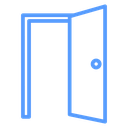
Open Door color outline icon




Double doors standing open in a door frame with a knob on each leaf
About the Open Door color outline icon
Two door leaves swing outward from a shared frame, each with a small round knob and a visible edge that shows the depth of the opening. The empty space between them reads as welcome, entry or availability, which fits real estate and rental listings, hotel and venue pages, access control and login screens, onboarding illustrations, and floor plan or facility legends.
Symmetry is the key detail here: matching leaves and knobs on a flat threshold line make the icon balanced enough to sit centered in a hero or empty state. Use it against a closed door or exit icon to show a state change, and keep strokes even at small sizes.
This is the colour outline version of the open door icon: the same line drawing in an accent colour, useful for highlighting a state, a category or a brand tone without adding visual weight.
Download it free as a scalable SVG vector or transparent-background PNG in seven sizes (16 to 512px), copy the SVG code straight into your project, or open it in the free online editor to change colors, apply gold, silver, neon and gradient styles, animate it, or convert it to EPS, PDF and DXF.
Free for personal and commercial use with attribution.