
On Off Toggle Switches color filled icon


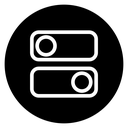


Line icon of two toggle switches in a circle, the upper one off and the lower one on
Related tags
About the On Off Toggle Switches color filled icon
Two rounded rectangular toggles stack inside a thin circular frame: the top one has its knob to the left in the off position, the bottom one has its knob to the right in the on position. The pair shows a state change at a glance. Use it for settings screens, preference menus, dark mode controls, feature flag dashboards, and smart home app tiles.
Both switch bodies share the same width and corner radius, and the circular knobs nearly fill their height, which keeps the on/off difference obvious. Pair it with slider, checkbox and power button icons; below 24 px drop the outer circle.
This is the colour filled version of the on off toggle switches icon: a flat, solid-colour shape that stands out in dashboards, marketing pages and app tiles where the icon needs to carry colour meaning.
Download it free as a scalable SVG vector or transparent-background PNG in seven sizes (16 to 512px), copy the SVG code straight into your project, or open it in the free online editor to change colors, apply gold, silver, neon and gradient styles, animate it, or convert it to EPS, PDF and DXF.
Free for personal and commercial use with attribution.
Icons with the same concept
 Power
Power Power Button
 Power Button Circle
 Light Switch Off Arrow
 Electric Switch On Off
 Power Button
 Light switch off 2
 Light switch off 2
 Power Button Circle
 Boolean True False Toggles
 Settings Sliders
 Power button
 Light Off Power Bulb
 Power button (2)
 Approve Reject Toggles
 Power Button Circle
 Power Button Circle
 Settings Sliders Circle