
No Plane Sign color outline icon



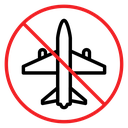
Airplane inside a circle with a diagonal line crossing it, meaning no flights
Related tags
About the No Plane Sign color outline icon
A passenger aircraft is drawn from a top-down view with swept wings, a tail and engine detail, then struck through by a diagonal bar inside a bold circle. The standard prohibition frame makes it read immediately as a flight ban, restricted airspace or a canceled trip. Use it on drone and no-fly zone maps, airline cancellation notices, travel restriction pages, device airplane-mode toggles and airport signage.
The aircraft is angled so its wings fill the circle diagonally while the slash runs the opposite way, keeping both shapes legible without clutter. Stroke weight matches other prohibition icons such as no smoking and no entry. Pair it with a plain plane icon to show an enabled and disabled state side by side.
This is the colour outline version of the no plane sign icon: the same line drawing in an accent colour, useful for highlighting a state, a category or a brand tone without adding visual weight.
Download it free as a scalable SVG vector or transparent-background PNG in seven sizes (16 to 512px), copy the SVG code straight into your project, or open it in the free online editor to change colors, apply gold, silver, neon and gradient styles, animate it, or convert it to EPS, PDF and DXF.
Free for personal and commercial use with attribution.
Icons with the same concept
 No plane sign
 No plane sign
 No plane sign
 No Drones Sign
 No Drone Flying Sign
 No Fly Zone Airplane
 Do not cut sign
 Do not enter sign
 Do not extinguish with water sign
 Do not feed birds sign
 Do not feed the animals sign
 No Litter Toilet Sign
 No Pushing Door Sign
 Do not sit sign
 No Idea sign
 No Marijuana sign
 No Water drop sign
 No Account Sign