Login black filled icon


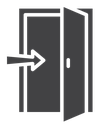
Arrow pointing into an open door panel set in a frame, representing login
Related tags
About the Login black filled icon
A rounded door frame with its panel swung open and marked by a small handle bar, and a horizontal arrow moving from the left directly into the opening. The pairing reads as signing in, entering an account or gaining access, which makes it right for login buttons, authentication screens, member area links, entrance signage and permission dialogs.
The frame is drawn with broken corner strokes so the door panel can sit forward, giving the flat shape a sense of depth, and the arrow lines up with the panel's midpoint to lead the eye inward. Flip the arrow to build a matching logout icon. Pair it with user, lock and key icons; 24px is enough for the handle to stay visible.
This is the solid black filled version of the login icon: a bold silhouette that reads clearly at 16-24 px and on dark or busy backgrounds, and prints well in one colour.
Download it free as a scalable SVG vector or transparent-background PNG in seven sizes (16 to 512px), copy the SVG code straight into your project, or open it in the free online editor to change colors, apply gold, silver, neon and gradient styles, animate it, or convert it to EPS, PDF and DXF.
Free for personal and commercial use with attribution.