
Human Interaction Exchange Arrows black outline icon


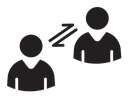
Two outlined people facing each other with two arrows pointing in opposite directions between them
Related tags
About the Human Interaction Exchange Arrows black outline icon
Two simplified people face each other, one lower-left and one upper-right, each drawn as a circular head above a shouldered torso with a notched V collar. Between them sit two parallel arrows aimed in opposite directions, signaling two-way exchange, dialogue and cooperation. Use it for user experience sections, customer support pages, HR and teamwork slides, chat or peer-to-peer features, and community platform onboarding.
The diagonal arrangement gives the composition movement, with the offset heads creating a conversational axis and the twin arrows reading as a compact swap glyph. It sits well beside chat bubble, handshake, network and user group icons. Give it extra padding in dense toolbars so the two figures do not visually collide.
This is the black outline version of the human interaction exchange arrows icon: even, monoline strokes that stay crisp at small sizes and suit clean, minimal interfaces, wireframes and light backgrounds.
Download it free as a scalable SVG vector or transparent-background PNG in seven sizes (16 to 512px), copy the SVG code straight into your project, or open it in the free online editor to change colors, apply gold, silver, neon and gradient styles, animate it, or convert it to EPS, PDF and DXF.
Free for personal and commercial use with attribution.
Icons with the same concept
 Human Interaction Network
 User Interaction
 Interaction Two Way Arrows
 Interaction Four People Network
 Human interaction
 Interpersonal Relationship
 Interpersonal Relationship Head Profiles
 Social Network People Nodes
 Interaction
 Interaction Hand Network Node
 Mediator
 Friends High Five
 Co Working
 Interaction
 Teamwork Network Triangle
 Teamwork Businessmen Group
 Community Three People
 Community