




Highlighter Cap Lines color filled icon

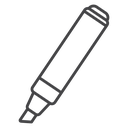

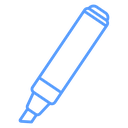

Diagonal chisel-tip highlighter marker icon with ridge lines on the cap end
Related tags
About the Highlighter Cap Lines color filled icon
A diagonal chisel-tip highlighter marker shown at an angle, with three ridge lines marking its cap end and a flat wedge tip at the opposite corner. Useful for stationery e-commerce, school and office supply apps, note-taking tools, design software toolbars, and back-to-school promotions.
Composition: an elongated barrel tapering to an angled chisel tip, with parallel cap-ridge lines at the top end. Pairs with the underline-stroke highlighter and pen/marker icons in the library; scales cleanly as a toolbar icon at 24px.
This is the colour filled version of the highlighter cap lines icon: a flat, solid-colour shape that stands out in dashboards, marketing pages and app tiles where the icon needs to carry colour meaning.
Download it free as a scalable SVG vector or transparent-background PNG in seven sizes (16 to 512px), copy the SVG code straight into your project, or open it in the free online editor to change colors, apply gold, silver, neon and gradient styles, animate it, or convert it to EPS, PDF and DXF.
Free for personal and commercial use with attribution.
Icons with the same concept
 Chisel Tip Highlighter
 Highlighter Underline Stroke
 Highlighter Pen
 Chisel Tip Highlighter
 Highlighter Chisel Tip
 Highlighter
 Felt Tip Marker
 Marker
 Chisel Tip Highlighter
 Marker Pen Circle
 Pencil Circle Frame
 Pencil Circle Badge
 Banded Eraser Pencil
 Marker
 Notebook
 Pencil Diagonal
 Ballpoint Pen Circle
 Notebook Pencil Circle