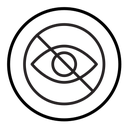
Hide Eye Slash black outline icon



Outlined eye with a diagonal line crossing it, indicating hidden or invisible content
About the Hide Eye Slash black outline icon
A wide almond-shaped eye with a circular iris and pupil sits behind a single diagonal line that cuts corner to corner, the universal way to say hidden, private or turned off. Use it for password reveal toggles, layer visibility switches in design tools, incognito and privacy settings, hidden file or folder states, and spoiler or sensitive-content covers in feeds and messaging apps.
The slash runs at roughly forty-five degrees and extends past the eye on both ends so it stays legible when scaled down, and the iris circles are concentric within the lens. It pairs directly with the plain open eye from the same set for show and hide states. Keep both at identical size so the toggle does not shift.
This is the black outline version of the hide eye slash icon: even, monoline strokes that stay crisp at small sizes and suit clean, minimal interfaces, wireframes and light backgrounds.
Get it free as an SVG vector or transparent PNG (16-512px), copy the SVG code, or restyle it in the free online editor — recolor any part, add gold, neon or gradient effects, animate it, or export EPS, PDF and DXF.
Free for personal and commercial use with attribution.