Grid View black filled icon

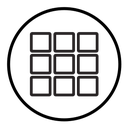

Nine rounded squares in a three-by-three grid inside a circular outline
About the Grid View black filled icon
Nine small rounded squares sit in an even three-by-three arrangement, enclosed by a thin circle that turns the set into a badge. It is the standard sign for switching from a list to a tiled layout, or for opening an app launcher, so place it in gallery toolbars, e-commerce product views, dashboard menus, file managers and design tool panels.
Gaps between the squares are about a third of a square, which keeps the block from reading as one solid shape, and the circle adds breathing room on all sides. Pair it with list view and filter icons in a toolbar, and use at least 20 px.
This is the solid black filled version of the grid view icon: a bold silhouette that reads clearly at 16-24 px and on dark or busy backgrounds, and prints well in one colour.
Get it free as an SVG vector or transparent PNG (16-512px), copy the SVG code, or restyle it in the free online editor — recolor any part, add gold, neon or gradient effects, animate it, or export EPS, PDF and DXF.
Free for personal and commercial use with attribution.