




Eye Test Document black filled icon

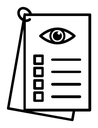
Outline clipped paper sheet with an eye above four checkboxes and result lines, second page behind
Related tags
About the Eye Test Document black filled icon
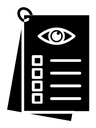
Two stacked paper sheets are held by a small ring clip at the top left; the front page carries a wide open eye with a round iris and pupil, and below it four empty checkboxes paired with result lines. It communicates a vision screening, an optical prescription or a diagnostic checklist. Useful in ophthalmology and optician sites, clinic booking flows, patient record dashboards, health insurance forms and lab report screens.
The eye's almond shape anchors the upper third while the evenly spaced squares and dashes give the lower half a document rhythm; the tilted back sheet adds depth. It pairs with glasses, prescription, clipboard and stethoscope icons in the library. Use at 32px or larger so the checkboxes stay distinct from the text lines.
This is the solid black filled version of the eye test document icon: a bold silhouette that reads clearly at 16-24 px and on dark or busy backgrounds, and prints well in one colour.
It downloads free as an SVG vector or transparent PNG in seven sizes, and the free online editor lets you recolor it, apply gold, silver, neon and gradient styles, add animation, or convert it to EPS, PDF and DXF.
Free for personal and commercial use with attribution.
Icons with the same concept
 Eye Test Clipboard
 Eye Test Clipboard Pen
 Clinical Analysis Result
 Medical Test Checklist Sheet
 Medical Test
 Clinical Trial Clipboard Magnifier
 Medical Test Clipboard
 Round Glasses Circle Badge
 Red Eye
 Contact Lens
 Contact Lenses
 Lasik Eye Surgery
 Two Contact Lenses
 Medical Notebook
 Medical Report Stethoscope
 Medical Test
 Test Tube Checklist
 Lab Report