




Define black filled icon


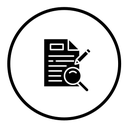
Text document with a magnifier over it and a pen behind, inside a circular badge
Related tags
About the Define black filled icon
A sheet with a folded corner carries a small heading block and several ruled text lines, a magnifier hovers over its lower edge, and a pen angles out from behind the page. The combination reads as looking up a term and writing down its meaning. Use it for glossary entries, dictionary features, help center articles, research and analysis dashboards, and training slides on terminology.
The magnifier sits at the intersection of page and pen, tying the three elements into one compact group inside a circular badge. It pairs with search, document and edit icons from the same rounded family. At small sizes the text lines merge, so use it at 32 px or above.
This is the solid black filled version of the define icon: a bold silhouette that reads clearly at 16-24 px and on dark or busy backgrounds, and prints well in one colour.
It downloads free as an SVG vector or transparent PNG in seven sizes, and the free online editor lets you recolor it, apply gold, silver, neon and gradient styles, add animation, or convert it to EPS, PDF and DXF.
Free for personal and commercial use with attribution.
Icons with the same concept
 Define Document Magnifier
 Define Document Magnifier
 Define
 Define
 Defining Document Magnifier
 Defining Document Magnifier
 Dictionaries A-Z Book
 Terminology
 Dictionaries A-Z Book
 Dictionary A Z Book
 Dictionary A-Z Book
 Dictionaries A-Z Book
 Dictionaries A-Z Book
 Dictionaries AZ Book
 Interpretation Gear Head
 Interpretation Gear Head
 Search Document Magnifier
 Defining Document Magnifier