Code Branch black outline icon


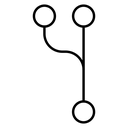
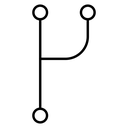
Git branch diagram icon with a main line and one curved branch connector
Related tags
About the Code Branch black outline icon
This icon depicts three connected circular nodes forming a version-control branch diagram: a straight main line running top to bottom, and a second node linked in by a curved connector partway down. It represents branching, forking and merging code, fitting developer tools, IDEs, git clients, CI/CD dashboards and technical documentation.
The single curved branch keeps the diagram simple compared to multi-branch variants, emphasizing one clean merge point. It pairs naturally with pull-request, merge and commit icons in the library. Displays well at 24px in toolbars, repository lists and developer-focused UI.
This is the black outline version of the code branch icon: even, monoline strokes that stay crisp at small sizes and suit clean, minimal interfaces, wireframes and light backgrounds.
Download it free as a scalable SVG vector or transparent-background PNG in seven sizes (16 to 512px), copy the SVG code straight into your project, or open it in the free online editor to change colors, apply gold, silver, neon and gradient styles, animate it, or convert it to EPS, PDF and DXF.
Free for personal and commercial use with attribution.