



Closed Caption color outline icon

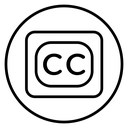



Letters C C in a rounded rectangle inside a circle, the closed caption mark
Related tags
About the Closed Caption color outline icon
Two capital C letters sit inside a rounded rectangle that is centered in a plain circle, the familiar badge for closed captions. It signals subtitles, transcripts and accessible playback. Use it on video player control bars, streaming service settings, e-learning course players, webinar and conference platforms, and accessibility statements where caption availability must be advertised.
Three nested shapes, circle, rounded box and letters, create clear concentric spacing that keeps the CC readable even when the icon is placed on busy video thumbnails. It pairs with play, volume, fullscreen and audio description marks. Use the filled variant for an active state and the outline for off; minimum comfortable size is 24px.
This is the colour outline version of the closed caption icon: the same line drawing in an accent colour, useful for highlighting a state, a category or a brand tone without adding visual weight.
It downloads free as an SVG vector or transparent PNG in seven sizes, and the free online editor lets you recolor it, apply gold, silver, neon and gradient styles, add animation, or convert it to EPS, PDF and DXF.
Free for personal and commercial use with attribution.
Icons with the same concept
 Closed Caption
 Closed caption
 Closed caption
 Closed Captions
 Subtitles Speech Bubble
 Subtitles Text Bubble
 Subtitle Speech Bubble
 Add Video Plus Badge
 Film Strip Play Button
 Playback Replay Arrow
 Live Play Badge
 Subtitles 2
 No Audio Description
 Media Player
 Playback Replay Disc
 Video
 Film Clapperboard Play Button
 Video Tutorial Player Screen