Clip color filled icon

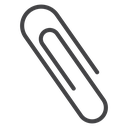
Diagonal double-loop paperclip icon
Related tags
About the Clip color filled icon
This icon shows a classic paperclip bent into two overlapping oval loops, angled diagonally across the frame. It represents attaching, fastening or linking documents together. Use it for email attachment buttons, file upload fields, note-taking apps, document management tools or office and stationery product listings.
The rounded wire loops and open ends give it an authentic paperclip silhouette rather than an abstract link symbol, so it stays instantly recognizable at small sizes. It pairs well with document, folder and pin icons in a productivity set. Works cleanly down to 16px for toolbar and button use.
This is the colour filled version of the clip icon: a flat, solid-colour shape that stands out in dashboards, marketing pages and app tiles where the icon needs to carry colour meaning.
Get it free as an SVG vector or transparent PNG (16-512px), copy the SVG code, or restyle it in the free online editor — recolor any part, add gold, neon or gradient effects, animate it, or export EPS, PDF and DXF.
Free for personal and commercial use with attribution.