
Alignment Center Arrows black outline icon

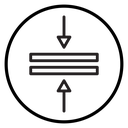
Two stacked horizontal bars with arrows pointing toward them from above and below
Related tags
About the Alignment Center Arrows black outline icon
Two long horizontal bars sit one above the other in the middle of a circular frame, with a straight arrow pressing down from the top and a second arrow pushing up from the bottom. It communicates vertical alignment, centering and closing the space between elements. Use it in text editor toolbars, design and layout tools, table row controls, slide builders, and CMS formatting panels.
The two bars are identical in length and separated by a thin gap, so the arrows read as compressing them toward a shared center line. The arrowheads are small triangles that keep the stroke rhythm even. Pair it with left, right and justify alignment icons, and place it inside a 24 px toolbar button.
This is the black outline version of the alignment center arrows icon: even, monoline strokes that stay crisp at small sizes and suit clean, minimal interfaces, wireframes and light backgrounds.
It downloads free as an SVG vector or transparent PNG in seven sizes, and the free online editor lets you recolor it, apply gold, silver, neon and gradient styles, add animation, or convert it to EPS, PDF and DXF.
Free for personal and commercial use with attribution.
Icons with the same concept
 Alignment Center Bars
 Alignment Left Center Right
 Align Center Bars
 Align Center
 Alignment
 Align Center Text Bars
 Align Left Text Lines
 Align Left
 Align Center Guideline
 Center Align Circle
 Align Center
 Align Center Text Lines
 Align Center Circle
 Align Center Text Lines
 Align Center Text Lines
 Alignment
 Align Left Circle
 Align Left