Align Left Text black filled icon

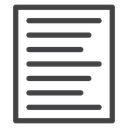
Outline icon of a document page with left-aligned horizontal text lines
Related tags
About the Align Left Text black filled icon
This icon shows a bordered page containing seven horizontal bars of varying length, all starting flush against the left edge to represent left-aligned paragraph text. It signals text formatting and document editing. Use it in word processors, text editor toolbars, CMS content panels or design software formatting menus.
The lines step down in varying widths while staying flush to the left margin, giving the page a natural ragged-right paragraph look. It pairs well with align-center, align-right and justify icons in the same toolbar set. Display it at small sizes alongside matching alignment icons for quick recognition.
This is the solid black filled version of the align left text icon: a bold silhouette that reads clearly at 16-24 px and on dark or busy backgrounds, and prints well in one colour.
Download it free as a scalable SVG vector or transparent-background PNG in seven sizes (16 to 512px), copy the SVG code straight into your project, or open it in the free online editor to change colors, apply gold, silver, neon and gradient styles, animate it, or convert it to EPS, PDF and DXF.
Free for personal and commercial use with attribution.